The moment the lights dim and that massive 200-inch canvas flickers to life, the math stops mattering. You aren’t thinking about pixels or lumens anymore; you’re simply in the movie. For years, the "big screen" experience at home usually meant an 85-inch LED TV—a respectable size, certainly, but one that still feels like a window looking into a scene rather than a doorway entering it.
In 2026, the ceiling for home entertainment has officially moved. We are moving away from oversized glass panels and toward immersive, AI-driven projection environments. At the heart of this shift is the Anker Nebula X1, a device optimized specifically for 200-inch displays. With a staggering 3,500 ANSI lumens and an AI-powered gimbal that automatically adjusts your projection angle up to 25 degrees, it effectively deletes the "setup friction" that used to haunt pro-level home theaters. Whether you are building a dedicated media room or reclaiming your living room, the goal is the same: professional-grade cinema without the professional-grade headache.
1. Why the Anker Nebula X1 is the Core of Your Setup
When clients ask me why they should drop nearly $3,000 on a projector instead of a high-end OLED, I point to the "Brightness Gap." Traditionally, projectors struggled in rooms that weren't "bat caves"—pitch-black basements with no windows. The Nebula X1 changes that narrative.
The unit delivers 3,500 ANSI lumens. To put that in perspective, that is approximately 29% higher brightness compared to premium industry stalwarts like the Epson LS12000, which tops out at 2,700 lumens. This extra headroom means you get punchy, vibrant highlights even if there’s a stray lamp on in the corner of the room.
But brightness is only half the story. Color accuracy is where the "Pro" label is earned. The Nebula X1 achieves a color gamut of 110% of the UHD TV standard (Rec.2020). This represents a 10% increase over the baseline requirements for professional 4K displays, ensuring that the skin tones look natural and the neon greens of a sci-fi epic don't bleed into the shadows.
The Bottom Line: You have two ways to buy into this ecosystem:
- Standalone Nebula X1 ($2,999): Perfect if you already have a high-end Sonos or wired audio array.
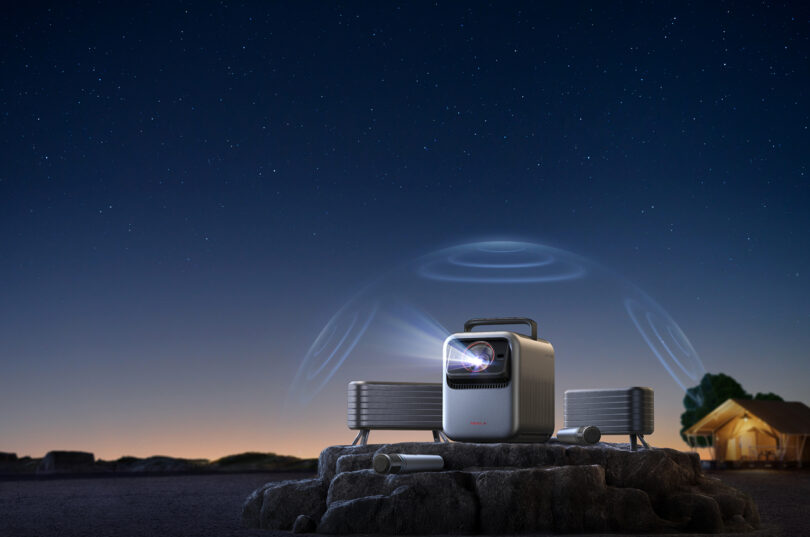
- The Pro Bundle ($3,298): This includes the projector, dual wireless satellite speakers, and microphones for a fully integrated "cinema-in-a-box" experience.
Pro Tip: If you're planning to use this for more than just movies—think Super Bowl parties or Saturday night gaming—go for the bundle. The wireless integration is seamless and saves you from running fifty feet of speaker wire under your rug.
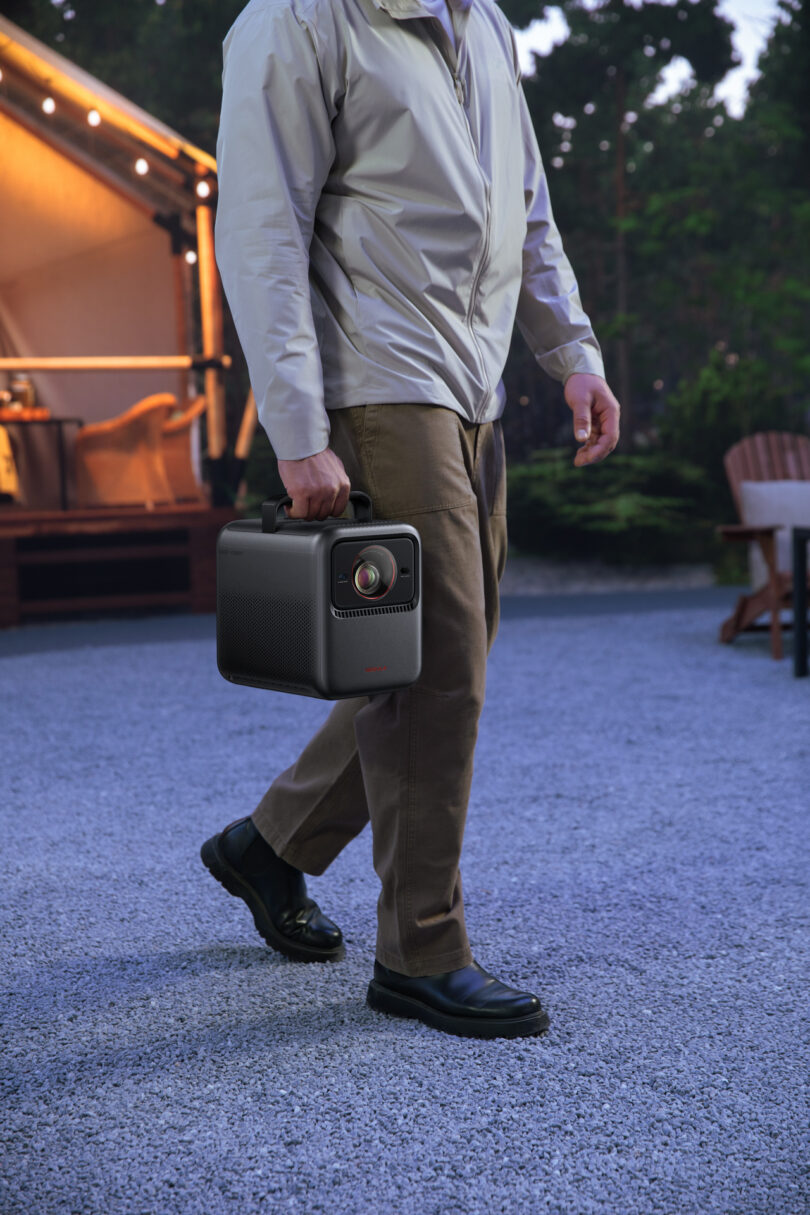
2. Planning Your Space: The Pro Layout
You don't just "buy" a 200-inch theater; you plan it. At this scale, the relationship between the lens and the wall is critical.
The "Sweet Spot" Dimensions
For a 200-inch 4K image, the ideal room size is roughly 20x13 feet. This allows for a comfortable viewing distance (about 15-18 feet from the screen) where you won't experience "eye-strain" from tracking motion across the massive field of view.
The AI Advantage: No More Stacking Books
In the old days, if your projector wasn't perfectly level with the center of the screen, your image looked like a trapezoid. You'd spend an hour fiddling with "keystone correction," which digitally crops pixels and ruins 4K resolution. The Nebula X1 solves this with an AI-powered gimbal. It physically tilts and swivels the lens to adjust projection angles up to 25 degrees vertically. It senses the wall, detects the boundaries, and snaps the image into a perfect rectangle in seconds.
Screen vs. Wall
Can you project onto a white wall? Sure. Should you? Not if you’re spending $3k. To truly see the 110% color gamut, I recommend an ALR (Ambient Light Rejecting) Screen. At 200 inches, a fixed-frame ALR screen acts like a giant mirror that only reflects the projector's light back to your eyes, while absorbing light coming from the ceiling or windows.
| Feature | Nebula X1 | Competitor (Typical High-End) |
|---|---|---|
| Brightness | 3,500 ANSI Lumens | 2,700 ANSI Lumens |
| Color Gamut | 110% UHD Standard | 100% UHD Standard |
| Cooling | Liquid Cooled (Silent) | Fan Cooled (Audible) |
| Adjustment | AI Gimbal (25°) | Manual/Digital Keystone |
3. Audio & Cooling: Silence is Golden
The greatest enemy of a home theater isn't a bad screen; it's a loud fan. Traditional high-lumen projectors generate an immense amount of heat, requiring high-speed fans that sound like a small jet taking off three feet from your head.
The Nebula X1 utilizes a liquid cooling system. By moving heat away from the laser light engine via a closed-loop liquid thermal solution, the projector maintains near-silent operation. This is vital because the X1 houses a sophisticated 360-degree immersive audio system inside the chassis (Dual 15W woofers + 5W tweeters).
When you aren't fighting the hum of a fan, you can actually hear the subtle sound design—the rustle of leaves or a distant whisper—that makes 4K cinema so compelling. If you opt for the bundle, those internal speakers sync with the wireless satellites to create an 80W soundstage that rivals many dedicated soundbars.
4. The Smart Connectivity Hub
In 2026, a projector shouldn't just be a "dumb" output device. The Nebula X1 acts as the brain of your smart home ecosystem.
- HDMI 2.1 & eARC: This is non-negotiable for lossless audio. If you have an external Atmos system, eARC ensures that the high-bitrate audio from your streaming apps gets to your speakers without compression.
- Google TV Integration: No more fumbling with three different remotes. Having native Netflix, Disney+, and YouTube in a fast, responsive UI makes the "Smart Home" part of the equation actually feel smart.
- Pro-Level Gaming: With HDMI 2.1, the Nebula X1 supports lower input lag. Playing a high-speed racing game or an open-world RPG at 200 inches with a 4K 60Hz (or higher) refresh rate is a transformative experience.
5. Budgeting for the Dream: Long-Term Value
When evaluating the $2,999 price tag, you have to look at the "Triple-Laser" longevity. Traditional lamp-based projectors require a bulb replacement every 2,000 to 5,000 hours, which can cost $300-$500 a pop. The Nebula X1’s laser light source is rated for roughly 25,000 hours.
If you watch a two-hour movie every single night, the light source will last you over 34 years.
Furthermore, because the Nebula X1 integrates the gimbal, the smart OS, and a high-end sound system into one unit, you are essentially replacing four different devices with one. For the minimalist who wants a "clean" living room without a rack of receivers and tangled wires, that $300 premium for the bundle is the best money you’ll spend this year.
FAQ
Q: Is 200 inches too big for a standard living room? A: Not if you have the wall space! The beauty of 4K is that the pixel density is high enough that you won't see "screen door effect" even at large sizes. However, ensure your seating is at least 12-15 feet away for the best experience.
Q: Do I need a professional installer for the Nebula X1? A: No. Thanks to the AI gimbal and auto-focus/auto-keystone features, setup takes about five minutes. It’s essentially "plug-and-play," which is rare for a projector of this caliber.
Q: How does liquid cooling handle long movie marathons? A: Better than fans do. Liquid cooling maintains a consistent temperature more efficiently, which actually protects the internal components and prevents the "thermal throttling" that can sometimes cause cheaper projectors to dim after a few hours of use.
Transform Your Home Today
Building a pro-grade home theater used to require a contractor, an electrician, and an AV consultant. With the Anker Nebula X1, the technology has finally caught up to the ambition. You get the 3,500-lumen brightness, the 110% color accuracy, and the whisper-quiet performance of a $10,000 custom install in a single, sleek package.
Stop watching movies. Start living them.